ARRANCADA guide
ARRANCADA Customization Guide: Wheels, Paint & Suspension
Understand the Visual tab, front and rear wheel choices, preview views and model-specific appearance options in ARRANCADA.
Quick answer
Use Visual to preview the selected car, choose its available parts and review the combined total before applying changes.
Preview and apply appearance choices
Read the current game values before confirming purchases or changing a setup.
Open Visual and inspect all sides
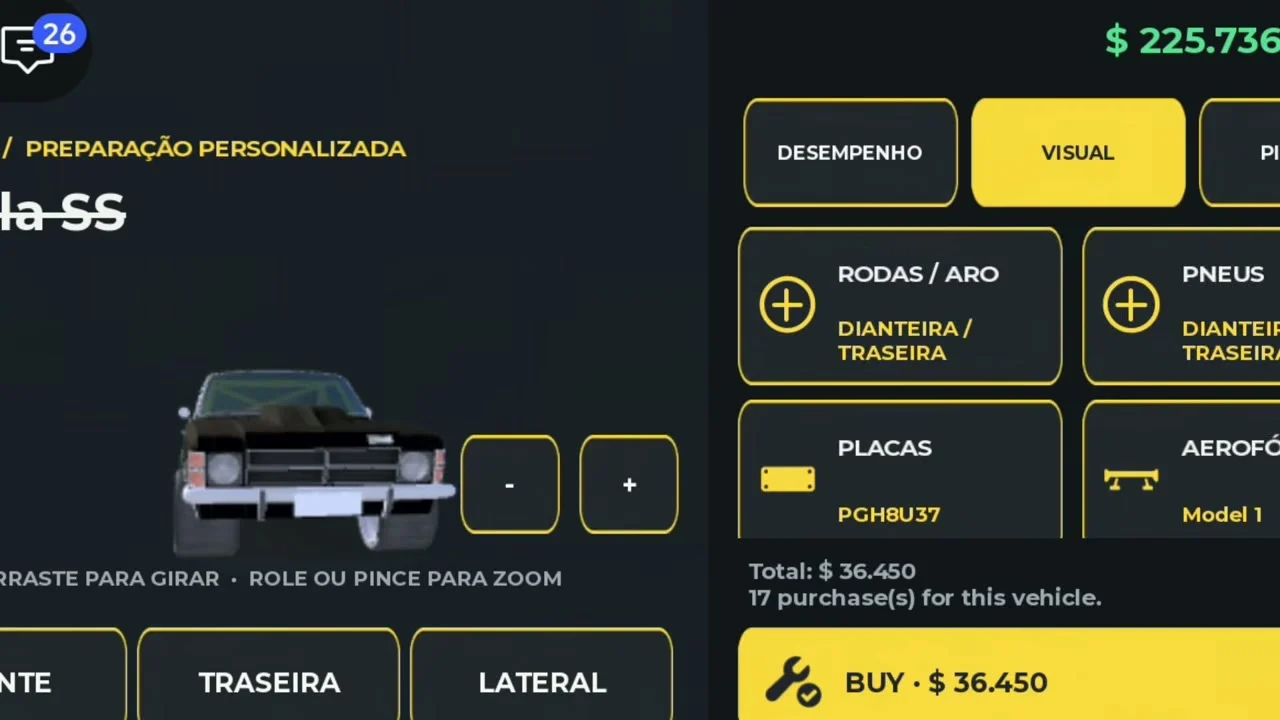
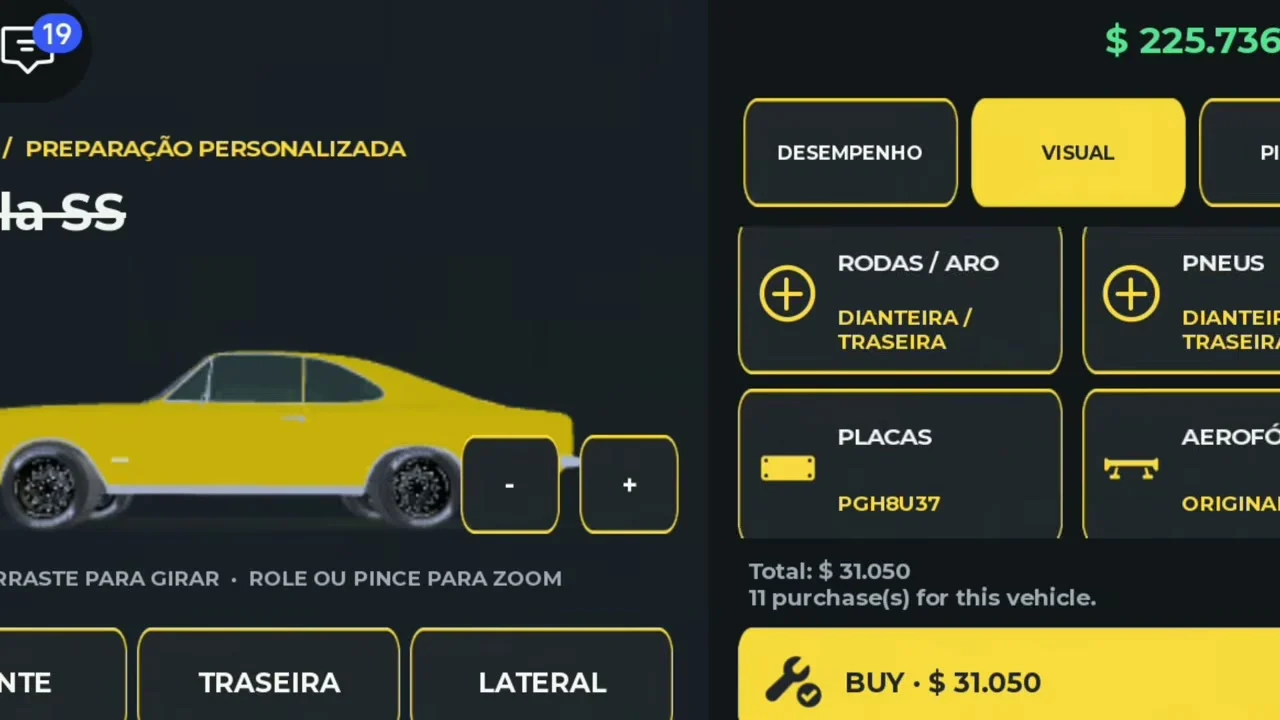
The recorded workshop has a VISUAL tab alongside Performance. Its car preview supports front, rear and side views, plus rotation and zoom guidance.
- Success check
- The Visual tab shows the selected vehicle and its preview controls.
- If it remains unclear
- Check the car from more than one angle before confirming. The official description advertises custom paint, tinted windows, sport wheels, wider tires and adjustable suspension, with options depending on the model.
Check front and rear selections
The reviewed Visual menu shows RODAS / ARO (wheels/rims) and PNEUS (tires), each with DIANTEIRA / TRASEIRA (front/rear). PLACAS (plates) and AEROFÓLIO (spoiler) also appear on the Opala SS.
- Success check
- The front or rear wheel preview reflects the option you selected.
- If it remains unclear
- Read which axle is selected before changing a wheel or tire. Inspect both sides in the preview, then check the total. A front-only choice should not be assumed to update the rear axle.
Keep appearance and performance checks distinct
Suspension appears under Performance in the reviewed build with original and staged choices. The official description also names height and offset adjustment.
- Success check
- The suspension menu identifies the selected stage and its displayed cost.
- If it remains unclear
- Read the current suspension panel for your vehicle before lowering it. The evidence does not provide a tested fastest height, offset or camber. Recheck straight-line behavior after changing the setup.
Review the complete project bill
The workshop total changes as selections accumulate. In the reviewed footage, the creator moves between Performance and Visual while building the same car.
- Success check
- The final total includes the intended selections before you confirm payment or application.
- If it remains unclear
- Before buying, review both tabs and remove choices you do not intend to purchase. After applying, inspect the vehicle outside the workshop. Cosmetic satisfaction and a faster measured pass require their own checks.
Scope and sources
Official description and reviewed gameplay checked November 5, 2026.
- For ARRANCADA by Patricia07692, Universe 10769900349. Recorded interface observations can change after updates.