ARRANCADA guide
ARRANCADA Launch & Racing Guide: Staging, Shifts, Runs
Understand staging prompts, launch practice, shifting and saved run slips in ARRANCADA’s 201m drag races.
Quick answer
Use the lane prompts and lights, keep your launch procedure consistent and compare reaction and run timing separately.
Stage, launch and review a pass
Read the current game values before confirming purchases or changing a setup.
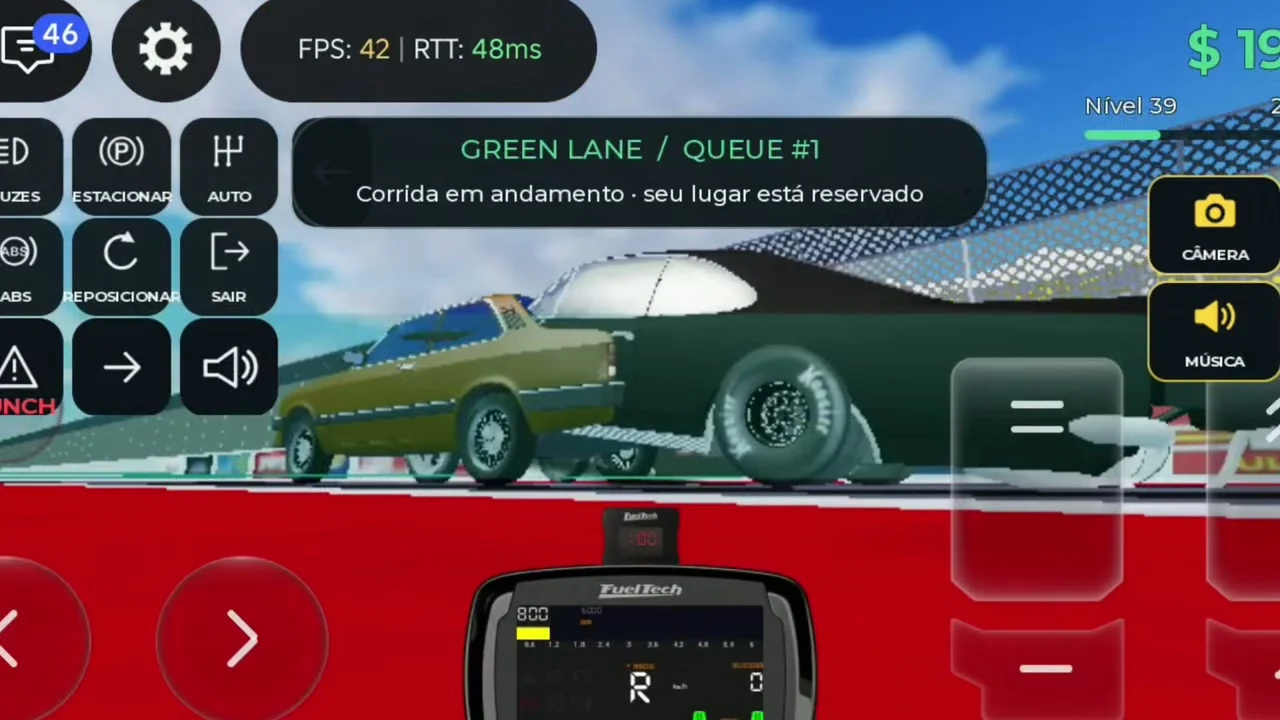
Read the lane before starting
The Portuguese gameplay displays GREEN LANE / QUEUE #1 with a message that a race is in progress and the player’s place is reserved. A later prompt changes to preparation and then the start lights.
- Success check
- The displayed queue reservation matches the lane you intend to enter.
- If it remains unclear
- Stay in the selected lane while queued. If a pass has already started, wait for the next cycle rather than interpreting a stationary car as a broken launch. The exact queue wording can follow the game language.
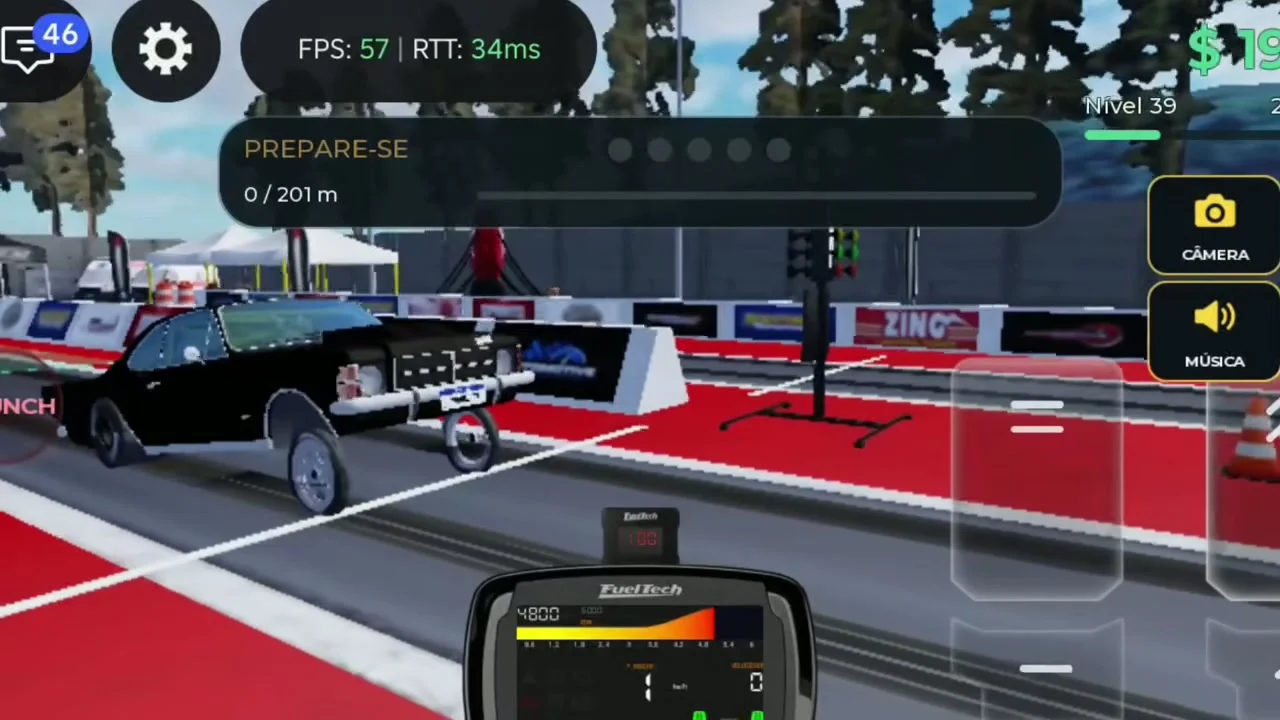
Use the current launch control and start lights
A LAUNCH control is visible in the recorded driving interface. The official description specifically identifies launch control, reaction time and acceleration as skills to master.
- Success check
- The launch prompt and start lights are visible before you accelerate.
- If it remains unclear
- Learn which current action activates and releases launch control before racing against another player. Watch the lights and keep the car aligned. This guide has no verified universal launch RPM, so it does not prescribe one value for every vehicle.
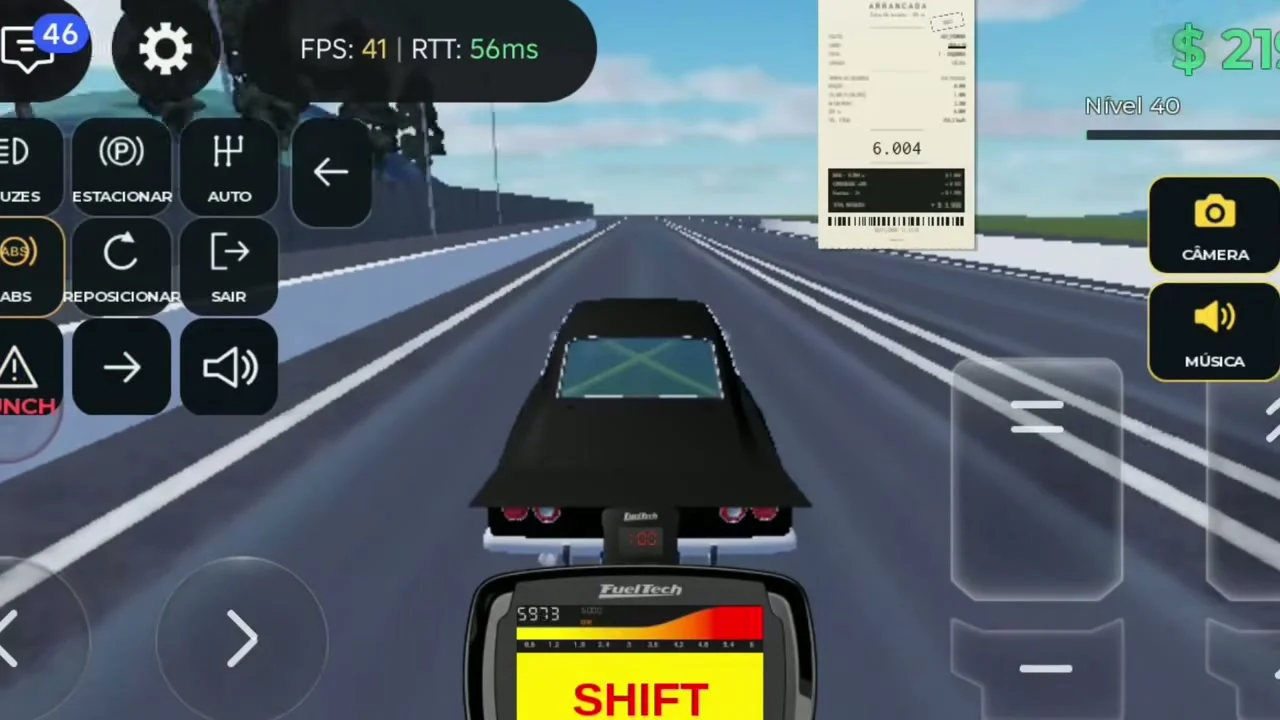
Watch the gear and SHIFT prompt
The Opala SS recording shows a prominent SHIFT indicator on the instrument display. The game officially supports manual and automatic transmission.
- Success check
- The gear indicator advances when you use the shift control.
- If it remains unclear
- For a baseline, keep one transmission mode across repeated runs. In manual, watch the live RPM and shift indicator and use the current upshift control. If the car reaches the limiter before the finish, review your shift timing and gearing before adding more power.
Compare saved runs and timing slips
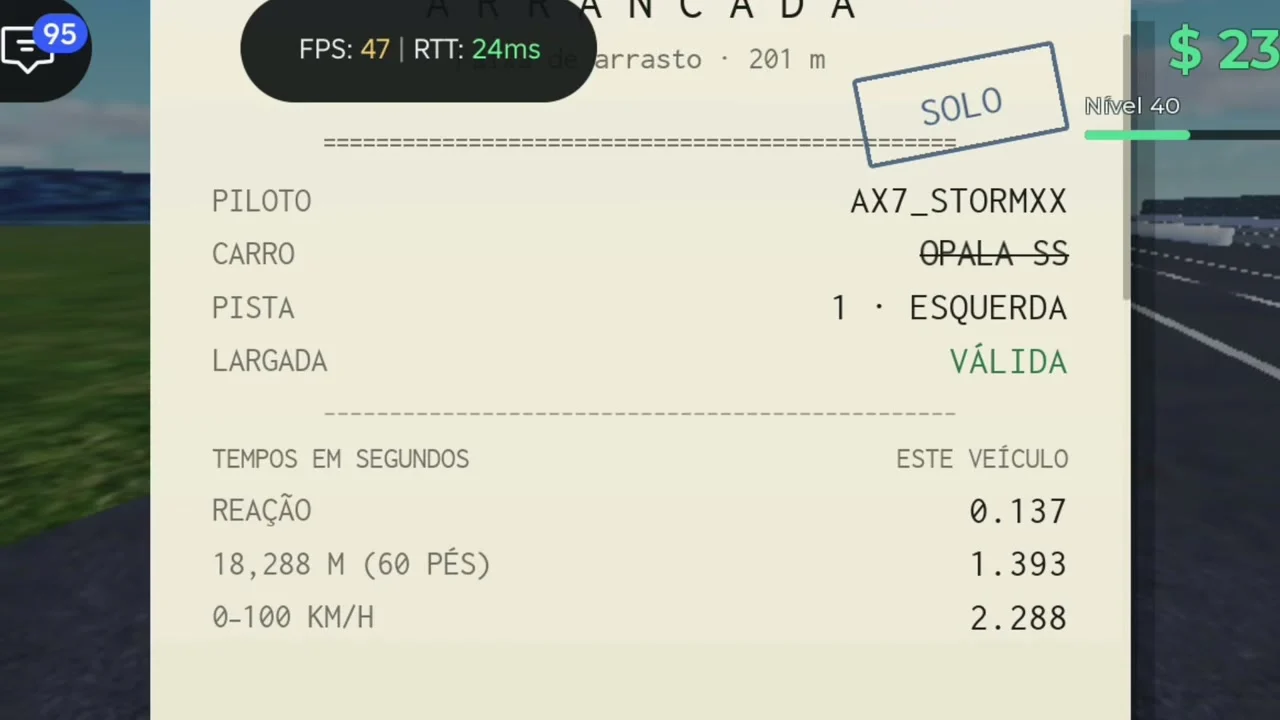
The reviewed Runs panel lists separate saved passes with victory and solo labels. Opening a slip shows driver, car, lane, launch validity, reaction, 60-foot distance and 0–100 km/h timing.
- Success check
- You can find the completed pass and compare its displayed result with another saved run.
- If it remains unclear
- Use the same car and conditions when comparing. A solo label and a victory label describe different race contexts. Read launch validity and reaction alongside total time; a faster car setup cannot be isolated from a much better start.
Scope and sources
Official description and reviewed gameplay checked November 5, 2026.
- For ARRANCADA by Patricia07692, Universe 10769900349. Recorded interface observations can change after updates.